Branded follow-up images in about a minute.
Choose an approved campaign, add the customer and vehicle, and generate a polished dealership-branded image your salesperson can download and send.
Available as a standalone product or included with qualifying Showroom plans.
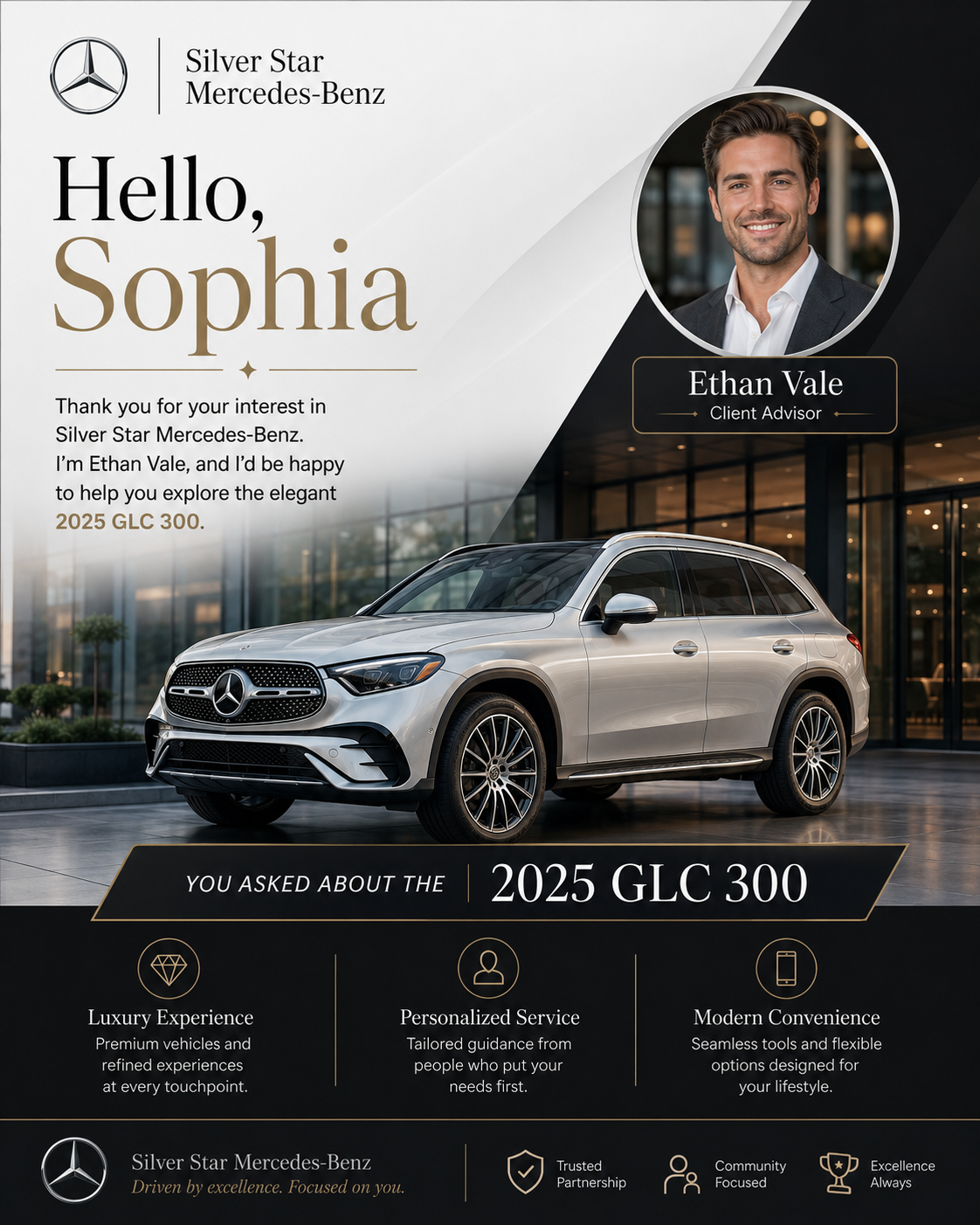
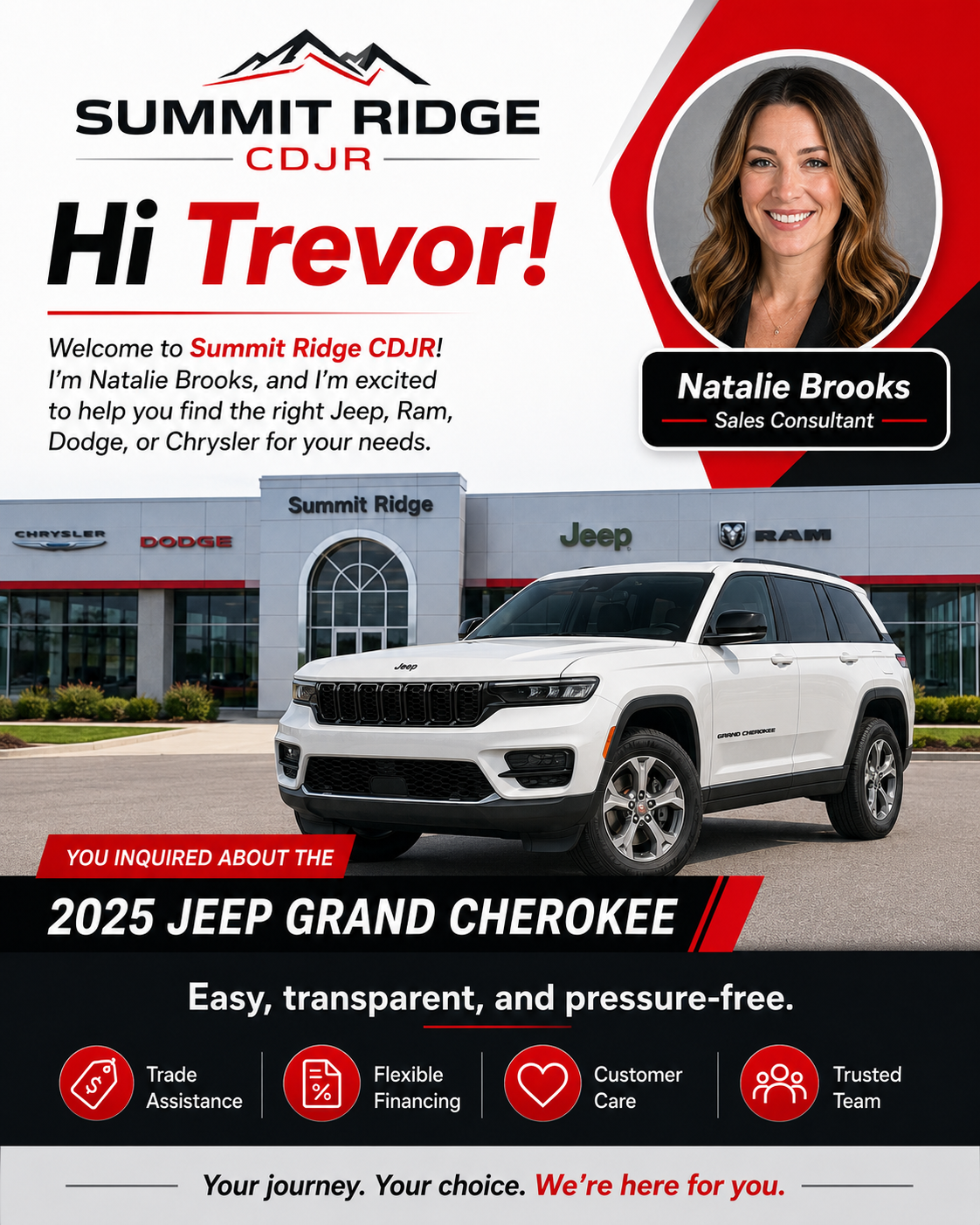
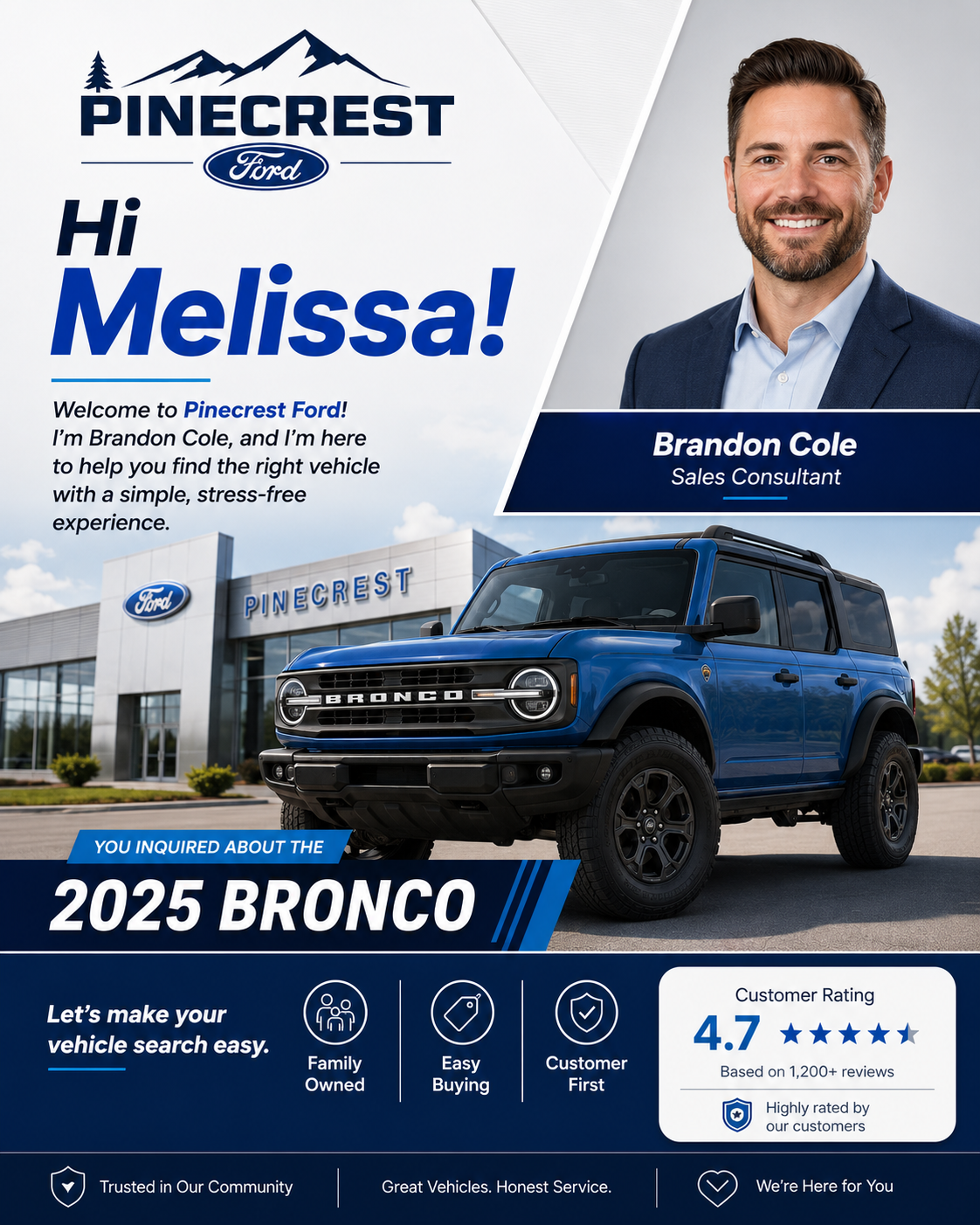
Good follow-up is valuable. Making it is usually the part that gets skipped.
Salespeople know a personalized message can restart a conversation, confirm availability, or make the customer feel remembered. They also have calls, appointments, walk-ins, and dozens of other tasks competing for attention.
Studio turns the repeatable design work into a fast dealership-approved workflow.
The whole rep workflow is three steps.
Branding, campaign rules, and salesperson profiles are set up by the dealership. The rep only handles what changes for this customer.
Pick a campaign
Choose New Lead, Vehicle Available, Trade Evaluation, Appointment, We Missed You, or another dealership-approved use case.
Add the customer and vehicle
Enter the customer name, vehicle, and an optional note. No design tools and no prompt writing.
Generate and send
Download the completed image and send it through the dealership’s existing texting or CRM process.
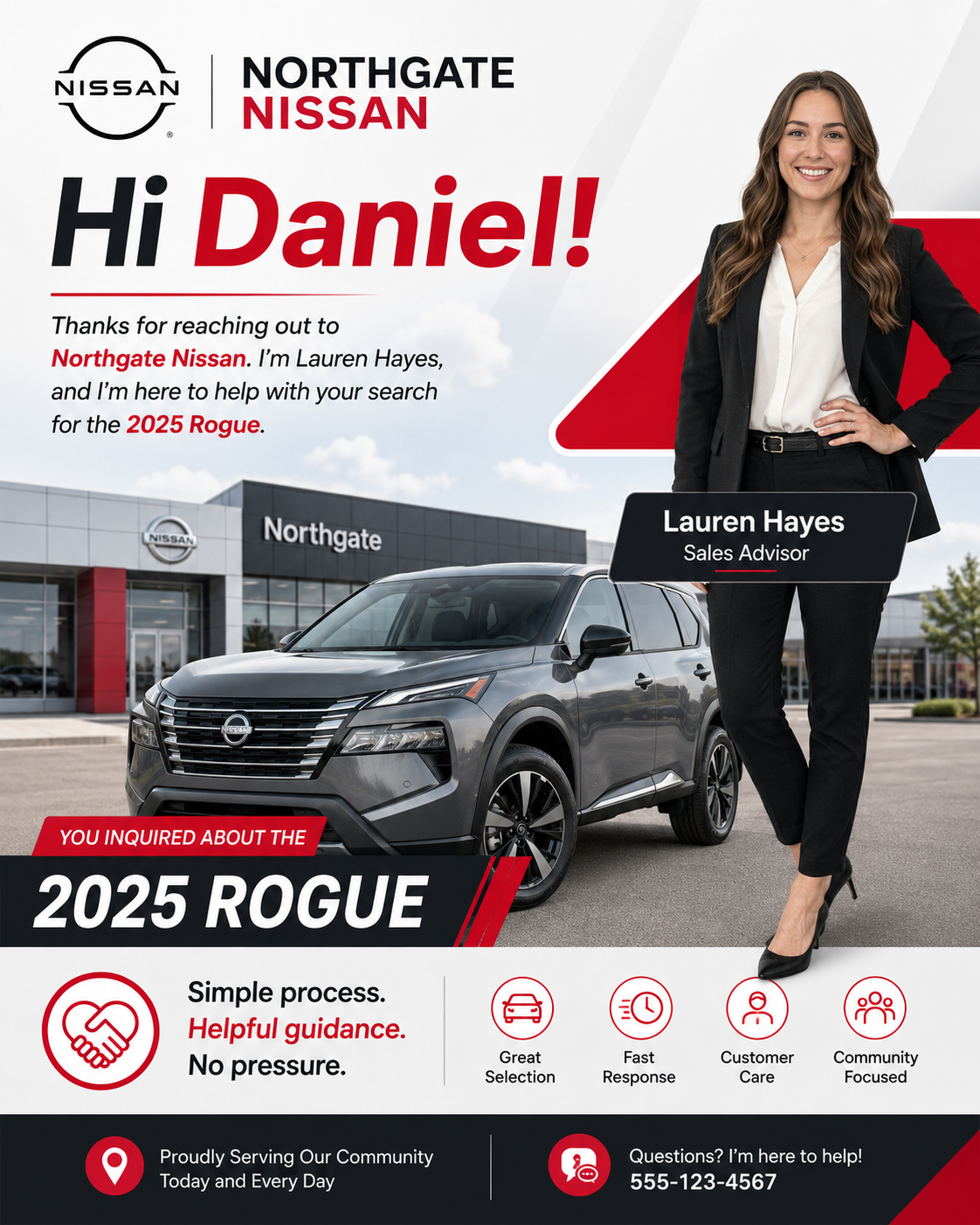
Different brands. Different campaigns. One simple workflow.
Each image can apply the dealership logo, colors, salesperson, vehicle, customer name, and approved campaign structure.
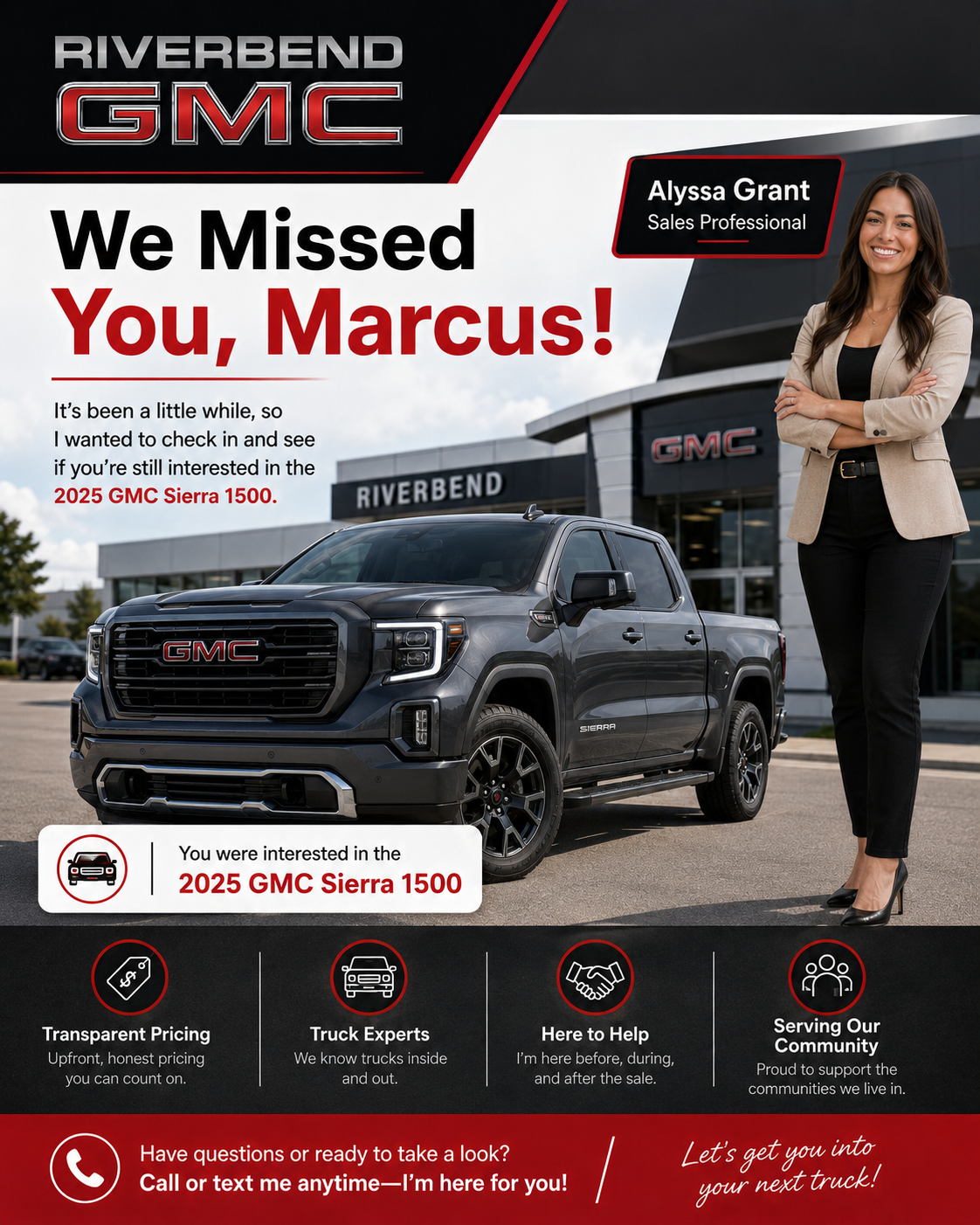
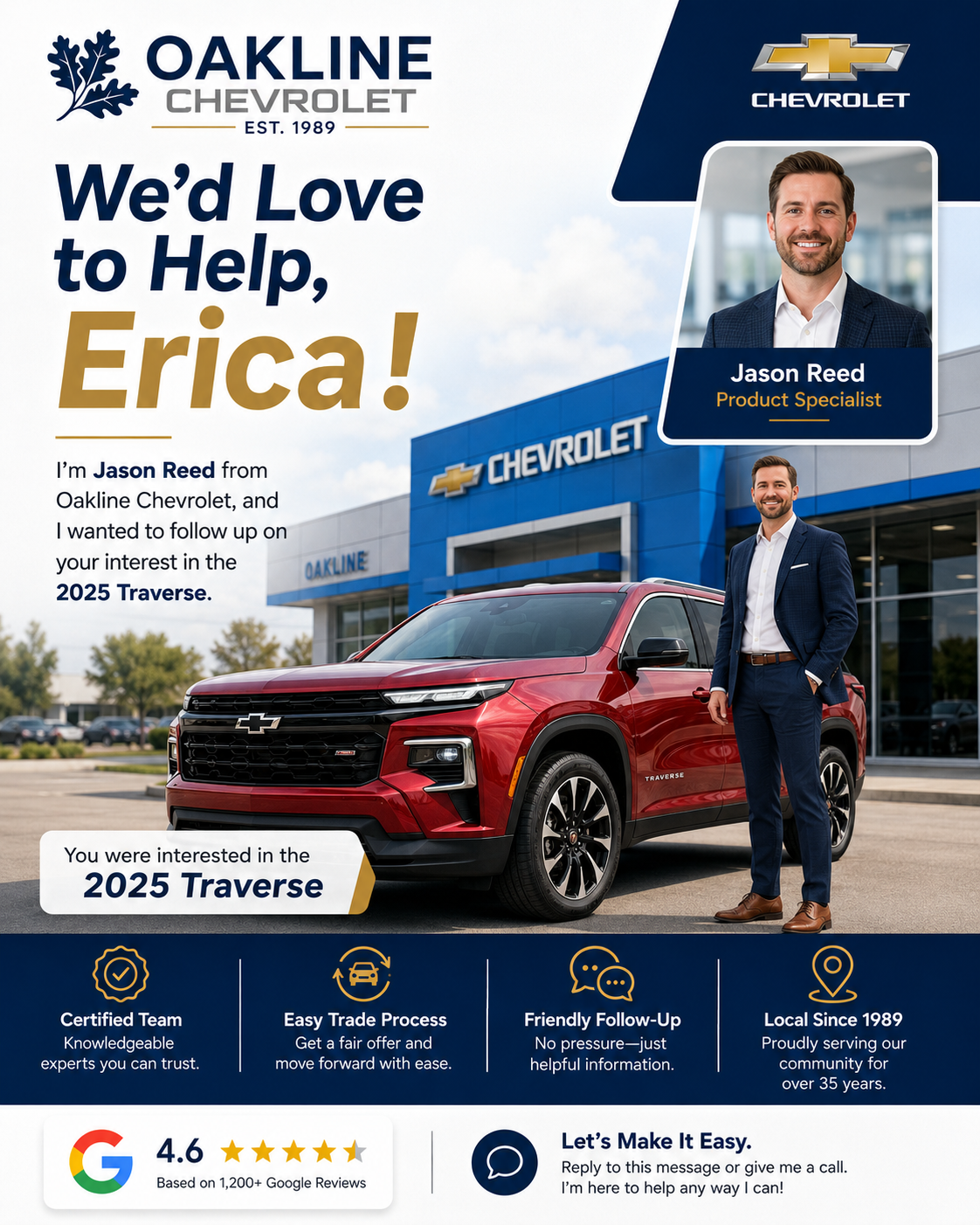
Dealership-controlled branding without slowing down the rep.
Approved brand system
Configure the dealership logo, colors, tagline, trust signals, and visual direction once.
Salesperson profiles
Add rep names, photographs, roles, and approved identity details used in generated images.
Campaign library
Control the use cases available to the team and the information required for each campaign.
Invisible prompt engine
Simple rep inputs become the detailed instructions needed to build the finished image.
Image history
Keep previous generations available for review, download, and reuse where appropriate.
Mobile-first access
Designed to be used from the phone without requiring a full desktop design workflow.
It lands where the conversation is already happening.
Studio creates the image. The salesperson sends it through the dealership’s existing messaging system.
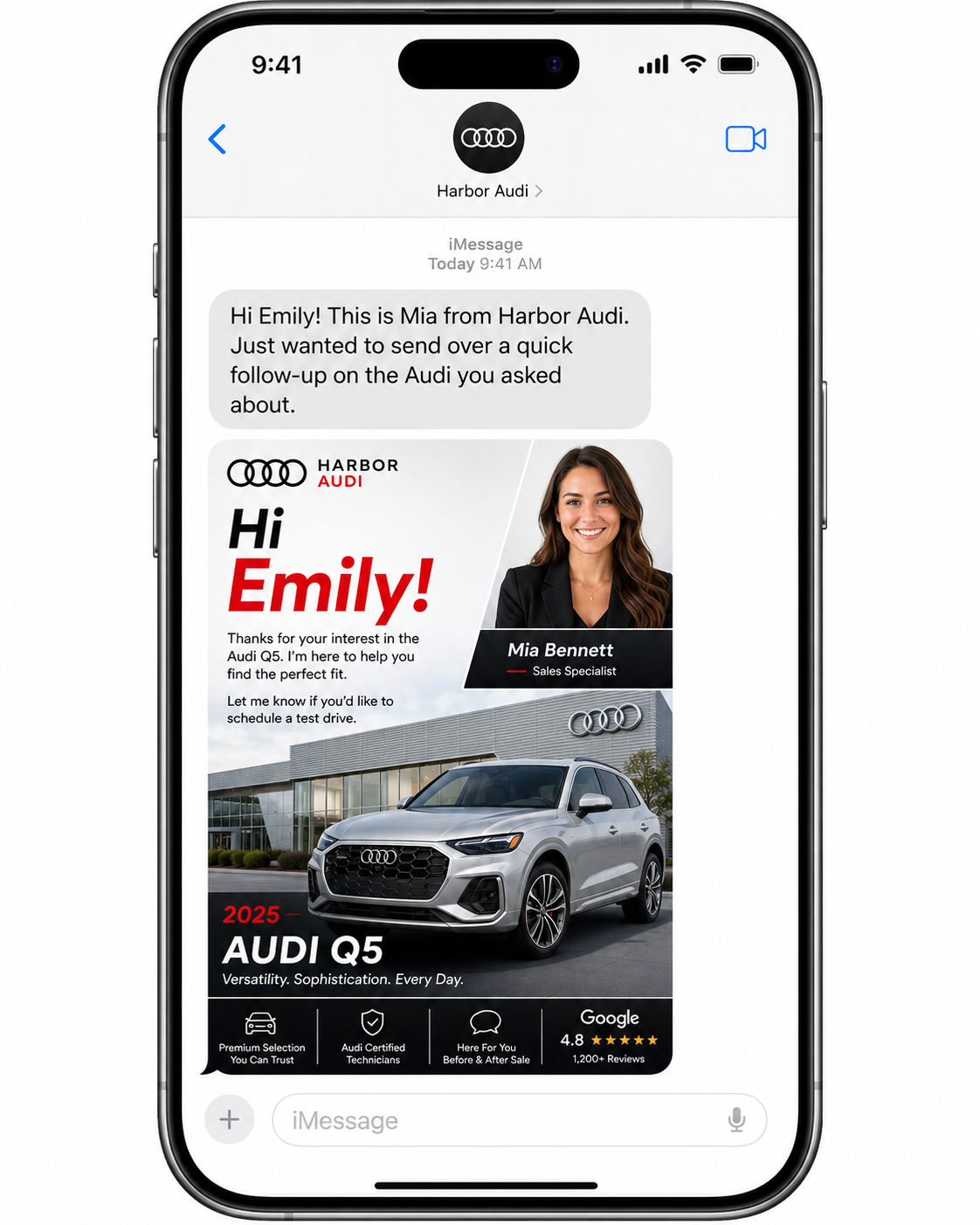
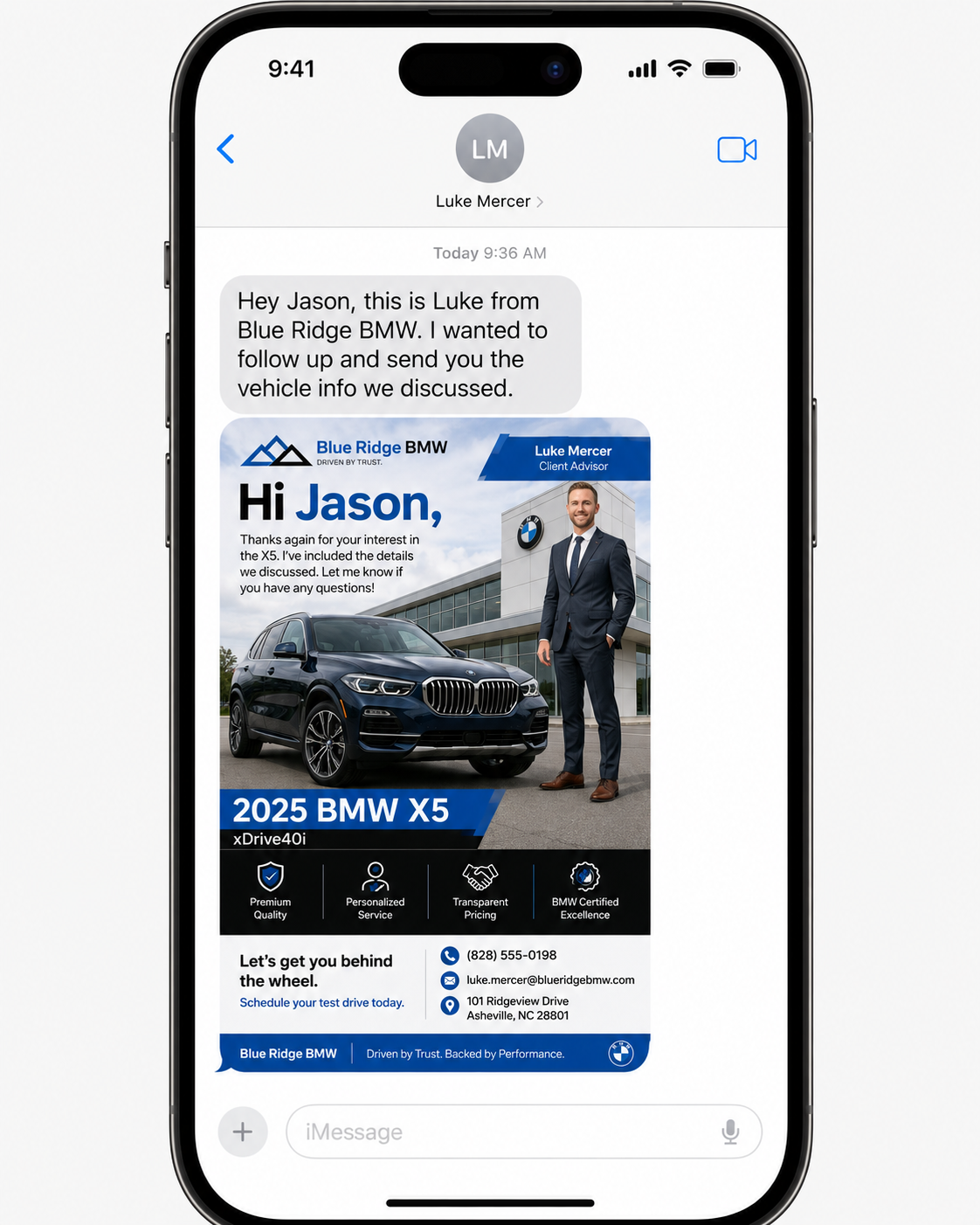
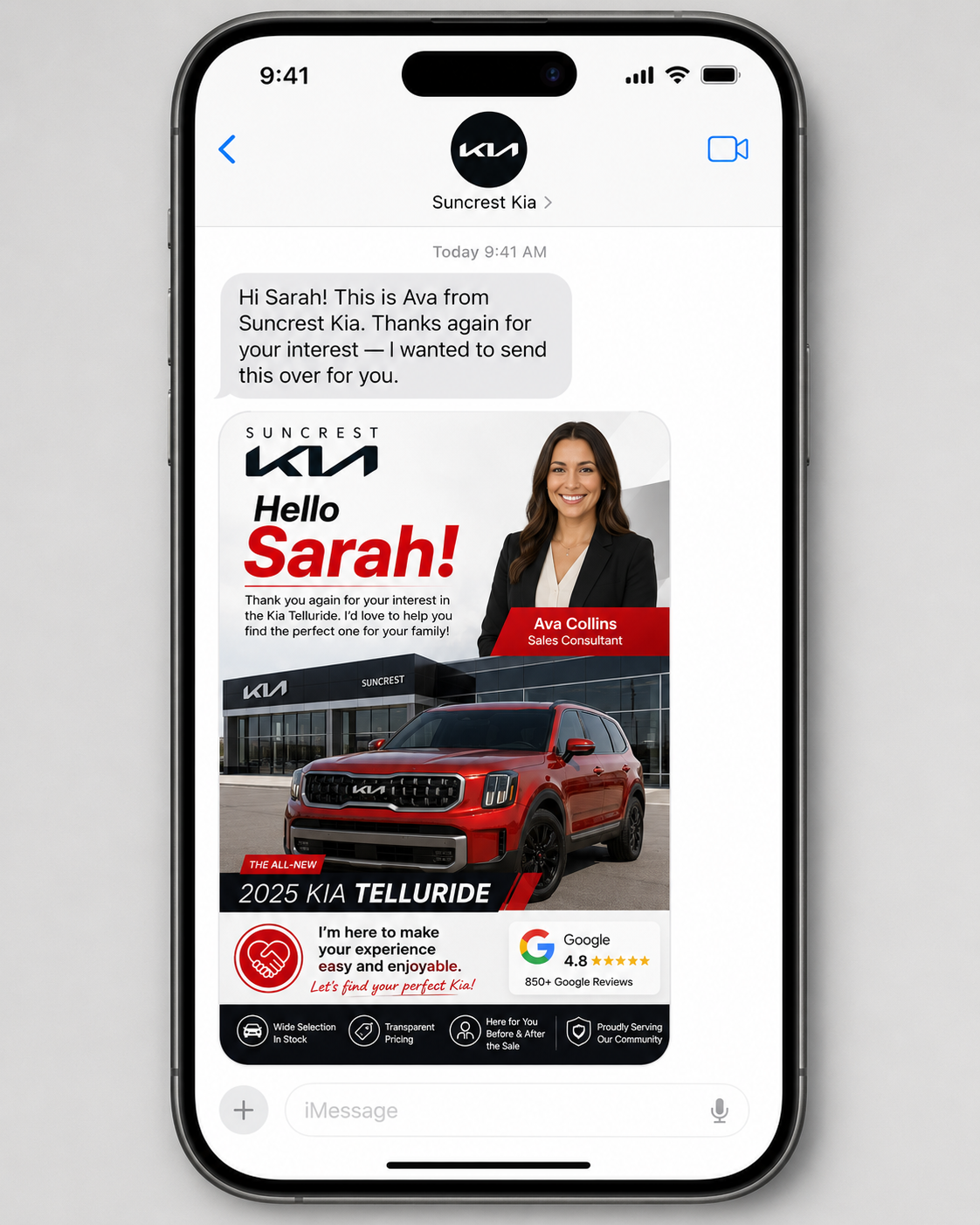
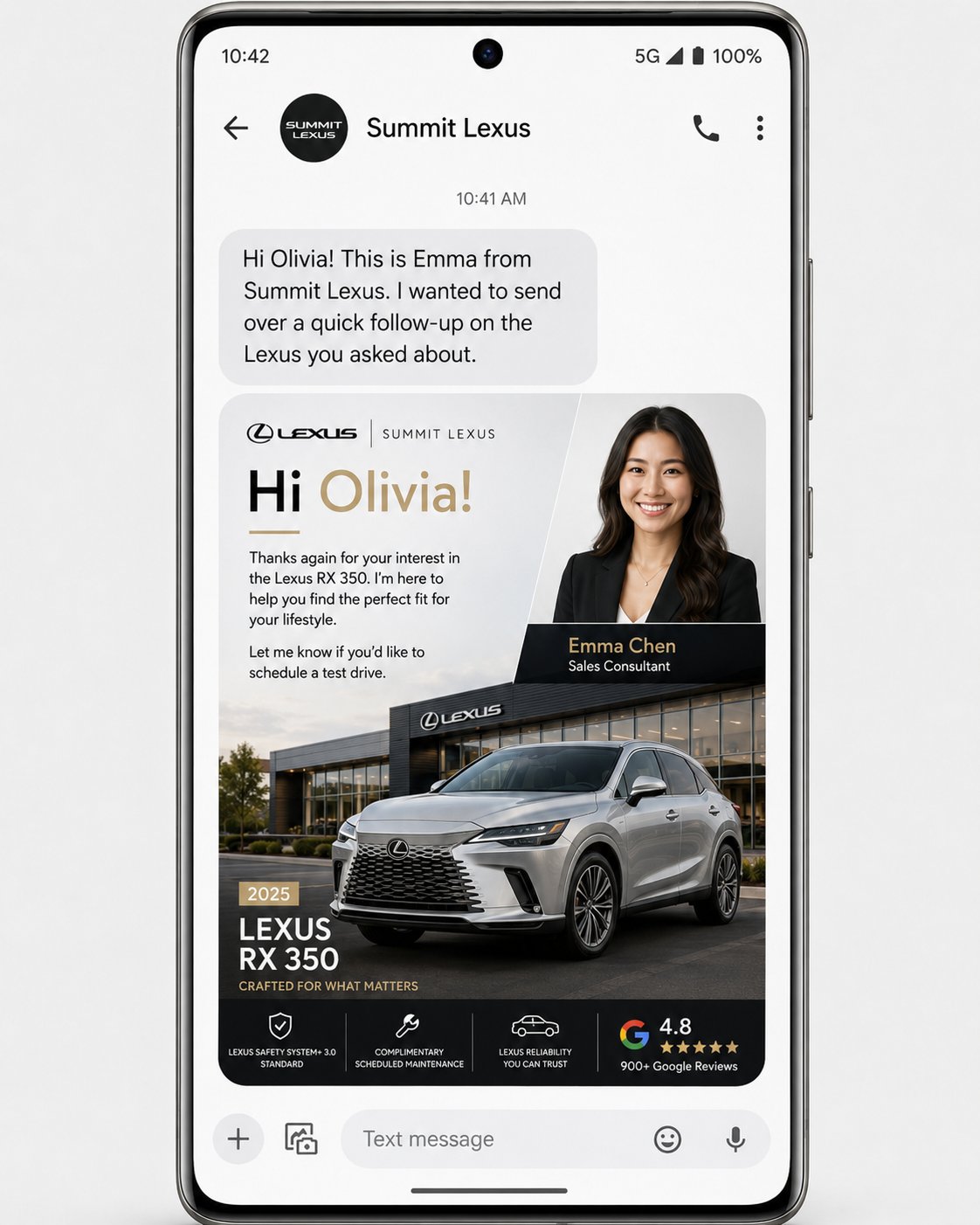
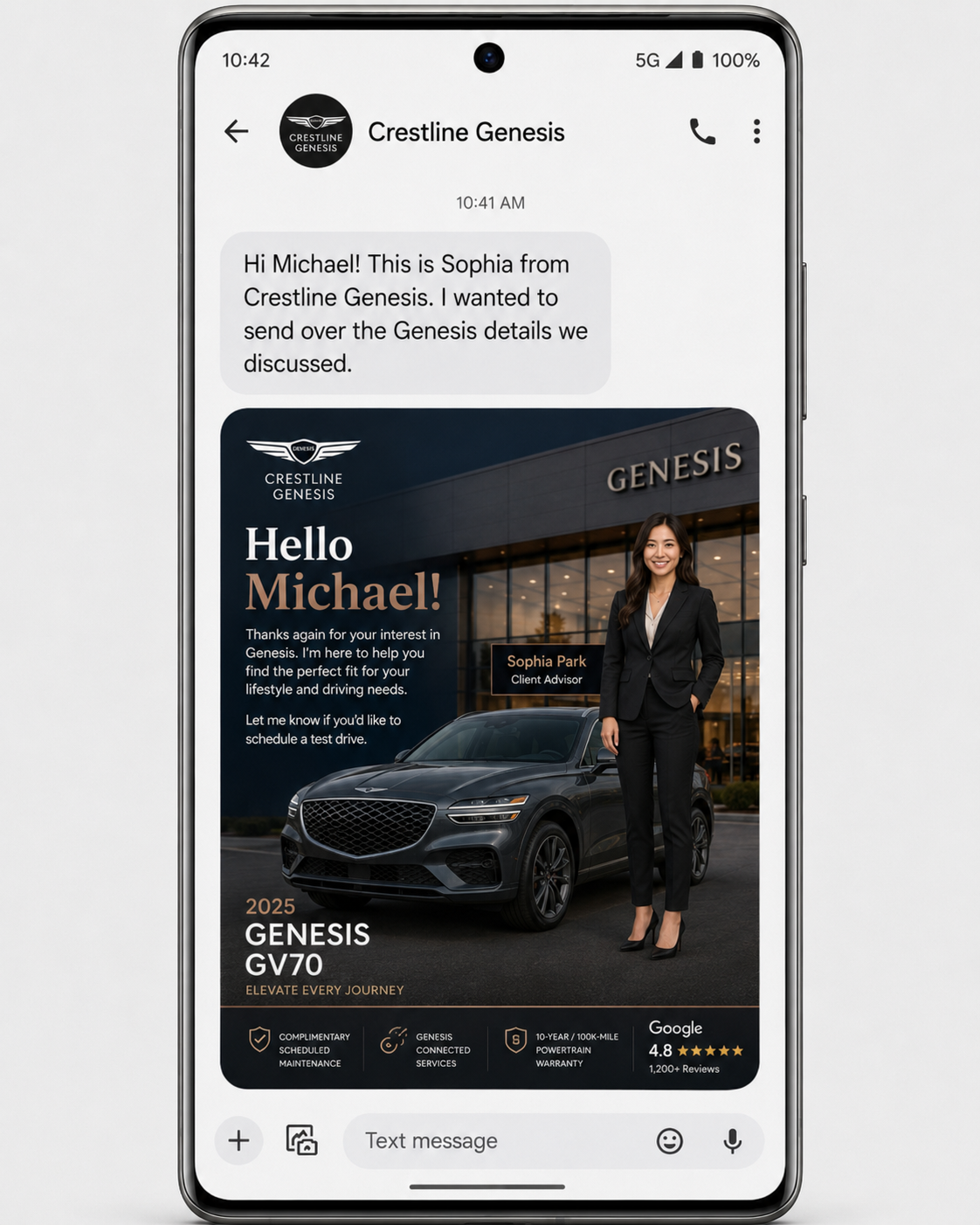
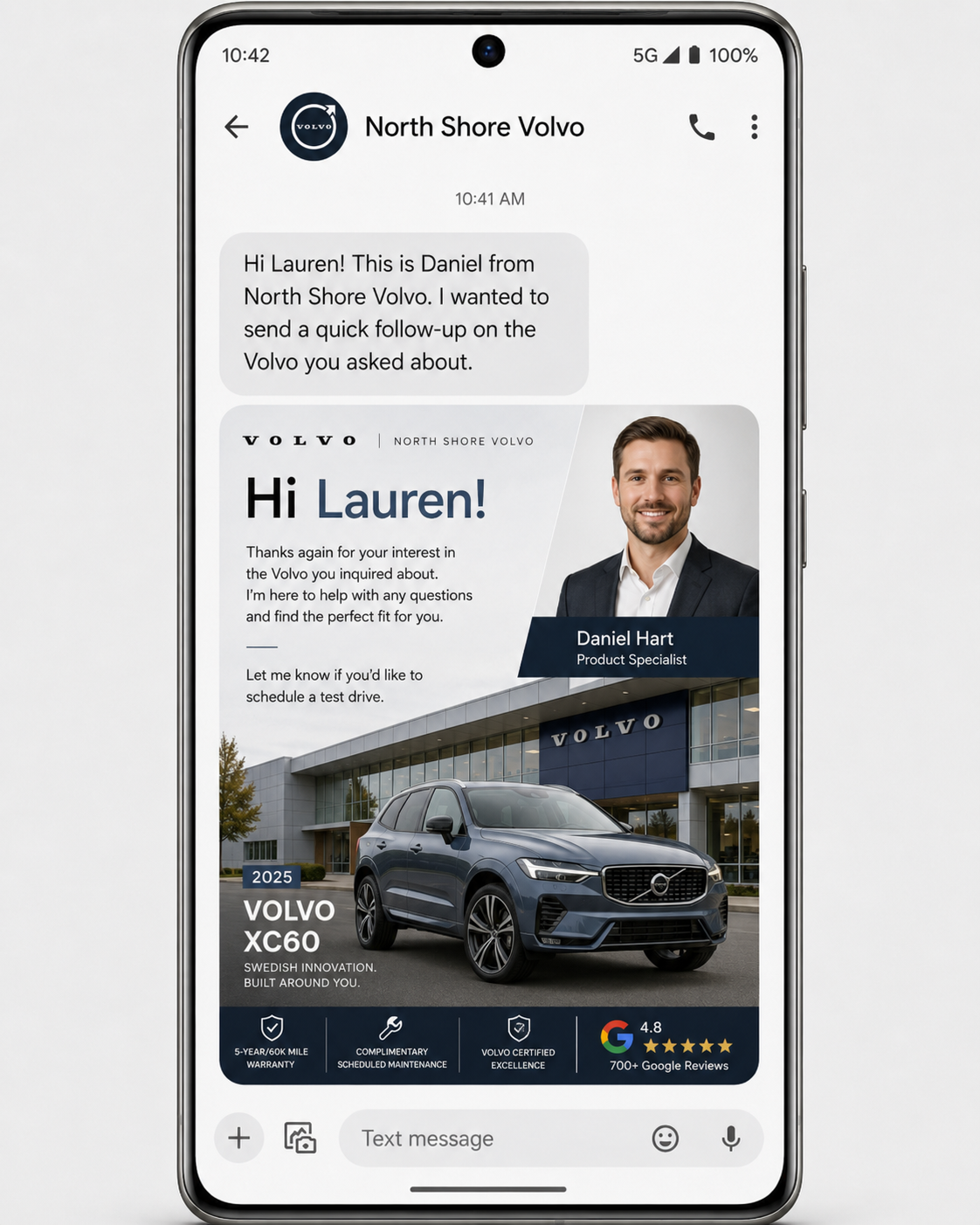
Management configures it. Salespeople generate.
Control the system once
- Set dealership branding and trust details
- Add and manage salesperson profiles
- Choose and approve campaign templates
- Control access and account status
- Review generation history and usage
Generate without designing
- Open Studio from a phone or desktop
- Pick the approved campaign
- Enter the customer and vehicle
- Generate and download the image
- Send through the normal dealership workflow
Available standalone or with Showroom.
Studio plans are based on dealership users, campaign requirements, image volume, and whether the product is bundled with Showroom.
Branded follow-up for the sales team
- Dealership brand configuration
- Salesperson accounts and profiles
- Approved campaign library
- Monthly image allowance
- Administration and support
Use both products together
Qualifying Showroom plans can include Studio so the rep has a personal inventory destination and a branded follow-up workflow.
Explore ShowroomGood to know.
Does Studio send the text message?
No. Studio creates the branded image. The rep downloads it and sends it using the dealership’s existing text or CRM process.
Do salespeople need design or prompt-writing skills?
No. The dealership configures the branding and campaign logic. The salesperson only selects the campaign and enters the changing customer details.
Can management control what reps generate?
Yes. Campaigns, branding, salesperson accounts, and approved content are controlled through the dealership setup.
Can Studio be purchased without Showroom?
Yes. Studio can be offered as a standalone dealership product or included with qualifying Showroom plans.
Will every generated image be identical?
No. The system uses the approved dealership direction and customer inputs to create a new image. Reps can generate another version when needed.
Make personalized follow-up easier to repeat.
Give the team an approved workflow that turns a customer name and vehicle into a polished branded image.